Account & FAQ
Account settings
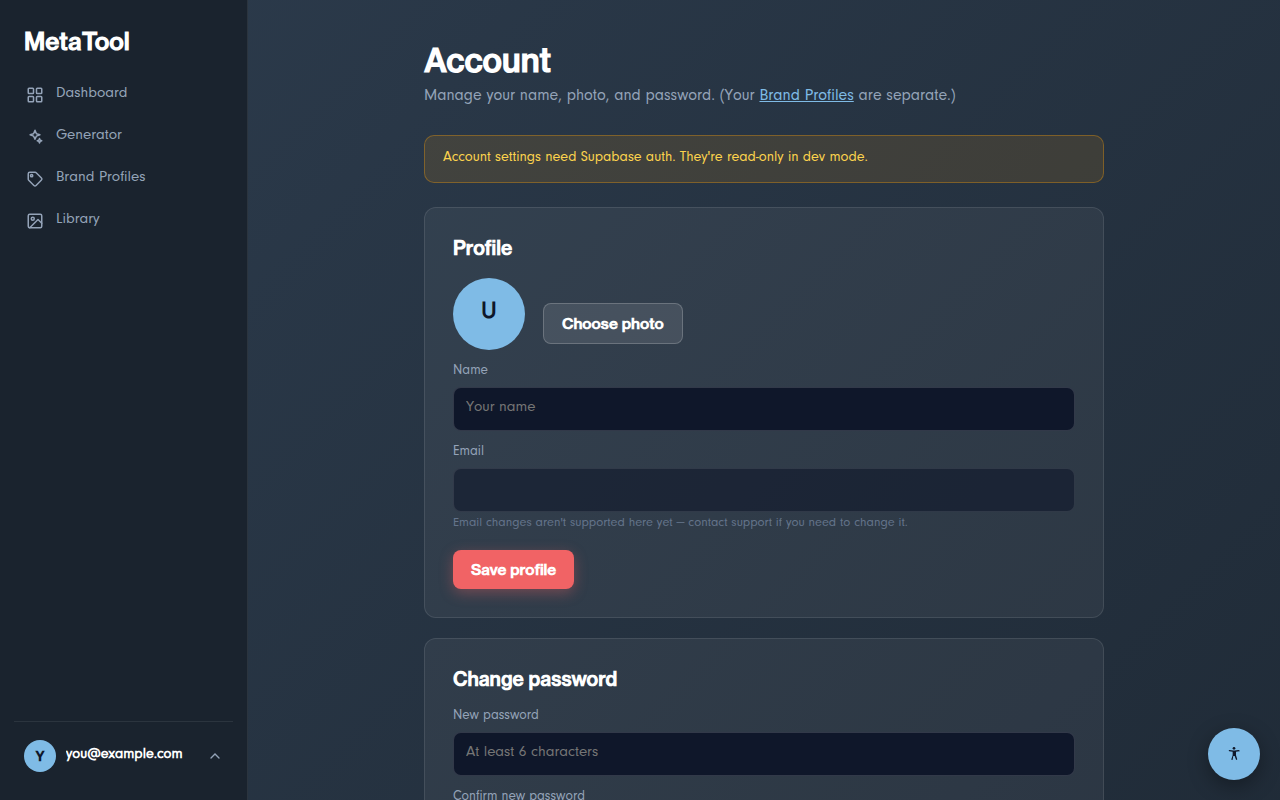
Click your avatar (bottom of the sidebar) → Account to update your display name, profile photo, or password. Photos are automatically resized — any image works.
Forgot your password?
On the login page, click "Forgot your password?", enter your email, and follow the reset link we send. The link expires after 1 hour.
Accessibility
Every page has an accessibility toolbar — the round button in the bottom-right corner. It offers text-size scaling, high contrast, a readable font, and link highlighting; your choices are remembered between visits.
FAQ
Why did my upload fail with a size error?
Uploads are limited to about 4.4 MB per request (a limit of our hosting platform). Resize or compress the image and try again. If you're attaching social/featured/thumbnail variants, all files travel together in one request — their combined size counts.
Which image formats are supported?
Upload JPG, PNG, GIF, or WEBP. Download as PNG, JPG, WEBP, or keep the original format. Note that JPG can't hold transparency — transparent areas become white.
Why is my Library empty?
The library is a paid-plan feature (Starter keeps your last 100 exports, Pro your last 1,000). On the Free plan, downloads work normally but exports aren't retained.
Does the AI see my images?
Yes — when you click ✨ Generate with AI, the image is sent to Anthropic's Claude model to be analyzed, then discarded; we don't keep the upload beyond processing the request. Manual mode never sends your image to the AI. See the Privacy Notice.
How do I verify the metadata was really embedded?
Drop your downloaded file on the free inspector on our homepage — it reads back every embedded field.
Something else?
Email support@metadataimage.com and we'll get back to you.