
Generating metadata
The Generator is the heart of MetaTool. The flow is: upload → (optionally) let the AI write → review & edit → save and download.
1. Upload your image
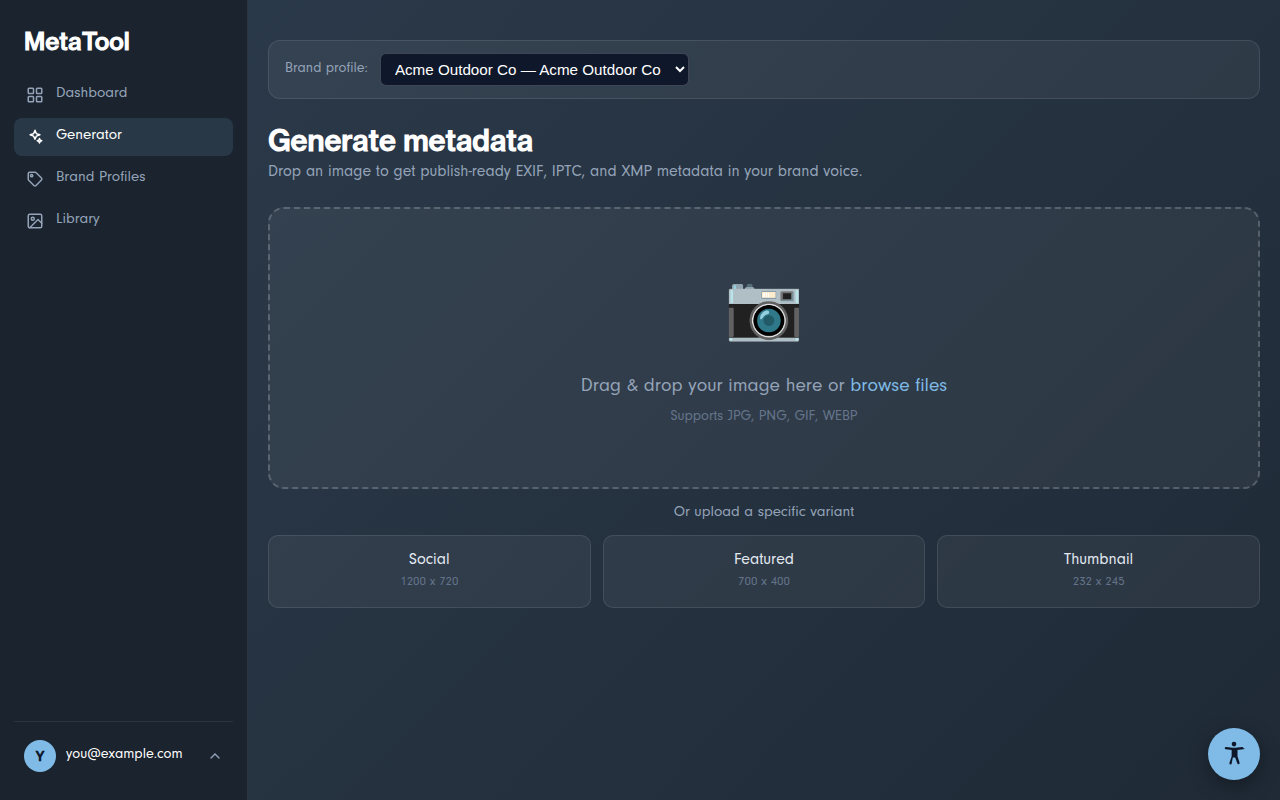
Open Generator and drop an image onto the upload zone (or click to browse). JPG, PNG, GIF, and WEBP are supported, up to about 4.4 MB per file.
2. The preview step
After choosing an image you'll see the preview screen:
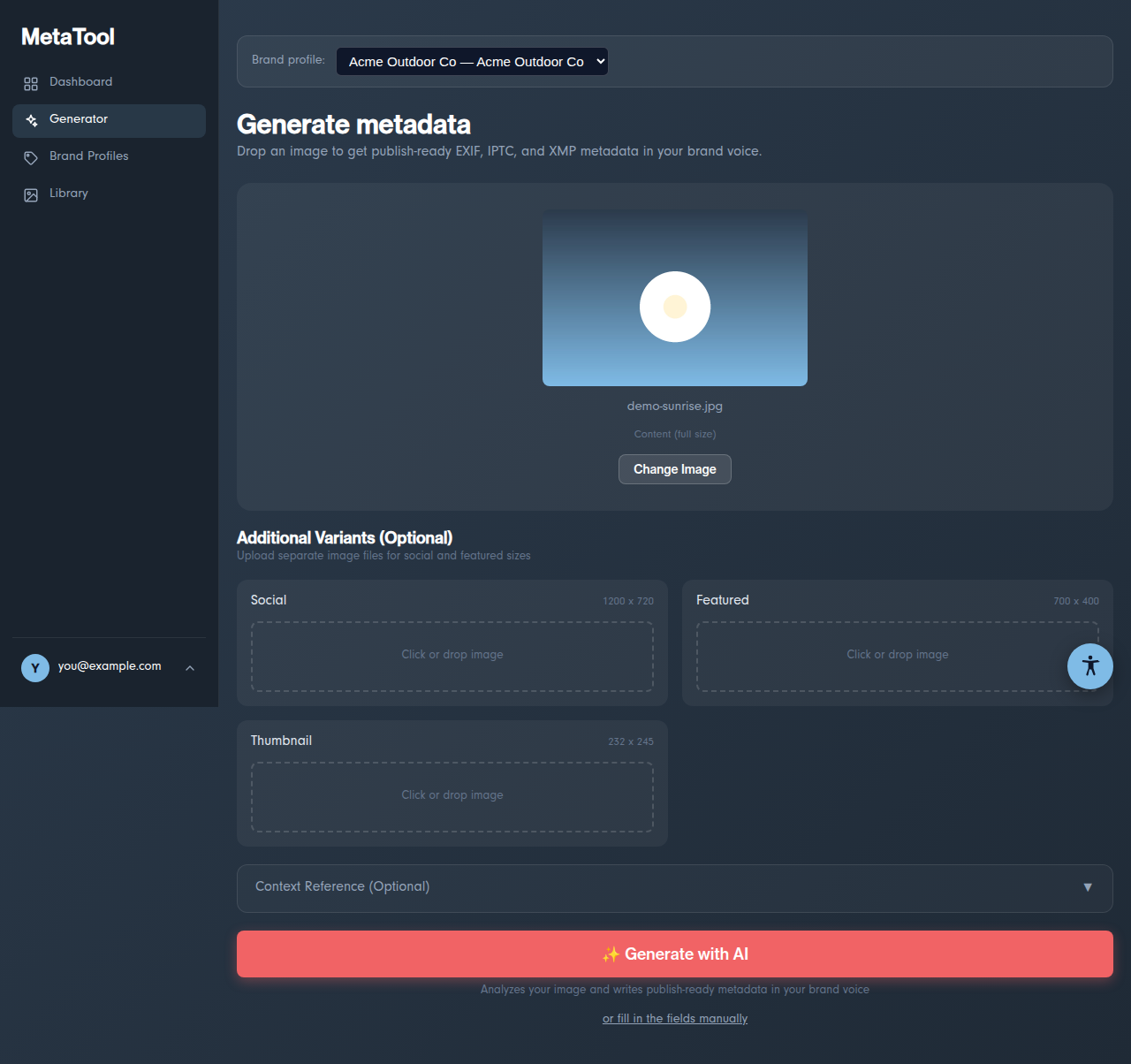
- Brand profile (top bar) — pick which brand voice the AI writes in, or "No profile — neutral voice" for brand-free metadata
- Additional Variants — optionally add separate Social (1200×720), Featured (700×400), and Thumbnail (232×245) images; they all get the same metadata and download together
- Context Reference — paste a URL or attach a document (PDF, Word, Excel, TXT) about the image so the AI writes more accurate metadata
- ✨ Generate with AI — analyzes the image and writes all the fields; counts as 1 of your monthly generations
- or fill in the fields manually — skips the AI and opens the editor with empty fields (doesn't count against AI usage)
3. Review and edit
The editor shows every field grouped in three tabs — EXIF, IPTC, and XMP (what do these mean?). Everything is editable; the AI's output is a starting point, not a verdict.
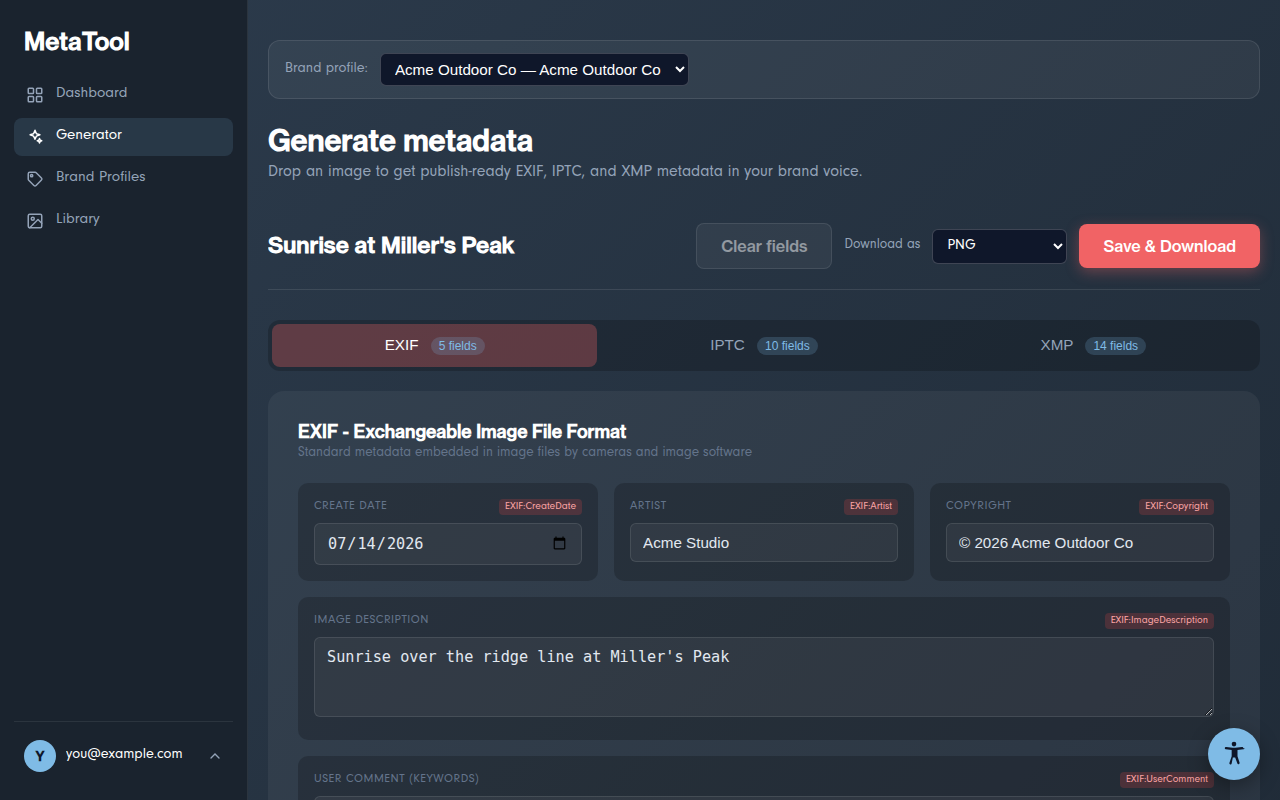
- Reset to AI Generated becomes clickable once you've edited a field, and restores the AI's original values (in manual mode it's "Clear fields")
- Download as — choose the output format: PNG (default), JPG, WEBP, or keep the original format. Note: JPG can't hold transparency; transparent areas become white
4. Save & Download
Click Save & Download. MetaTool bakes the metadata into the image file(s), downloads them to your device (multiple variants come as a zip), and saves a copy to your Library. The status bar confirms with "Added to your library ✓".
💡 The metadata is written inside the image file itself —
anyone who receives the file (or any platform you upload it to) can read it.
Verify with the free inspector on our homepage.